

Wix Subscriptions: What are the Limitations & How to Fill the Gap
Wix is an amazing platform when it comes to building your store-front. It is a popular no-code store builder among merchants. But the moment you try running a subscription store on it…that’s when its limitations start surfacing.
Wix offers merchants its native subscription management functionality known as Wix Stores Product Subscriptions. But based on customer reviews, it’s really nothing more than a recurring payment button. The reason is that it lacks many features that are essential to subscription businesses today.
Customers can’t cancel, or skip a cycle or even change a product. This means that Wix offers automated charging at best, and not subscription management as we know it today.
So let’s explore where Wix subscriptions fall short in more detail, and also discover the best way for overcoming these limitations.
What Wix Subscriptions Can Do
Wix’s native subscription setup is actually good for:
- Simple recurring payments
Automatic recurring payments are the major feature of Wix’s Product Subscriptions. Merchants looking for a simple automated charging button can benefit from this feature.
- Small service providers
Small stores usually have limited needs that can be managed manually as well. So they may not need all the customer-facing features that subscription businesses with more significant customer volume do.
- Easy integration with Wix Stores
The best thing about Wix’s Product Subscriptions feature is that it can be set up with Wix stores easily. Since it is the platform’s built-in functionality, merchants don’t have to go through any complicated integration processes.
But when businesses start scaling, they encounter the following limitations:
Common Pain Points Wix Merchants Face Today
Currently, Wix doesn’t allow your customers to:

1. Cancel subscription
Giving customers the option to cancel their subscription anytime is one of their basic rights. In the absence of that, customers feel stuck inside a subscription that they can’t control. They can of course make a cancellation request to the merchant, but that can be time-taking and frustrating.
This can lead to chargebacks and create consumer right issues. Customers today want instant access to service, and instant cancellations as well. Anything that becomes too time-taking can become the reason for customer churn.
2. Update shipping information
Lack of control for customers means more support tickets for the merchant. Wix doesn’t allow subscribers to modify their shipping details, such as update their address. This can cause friction in the long run, or if customers want to change their shipping address temporarily. They have to manually request the merchant to do that.
3. Select a start or renewal date
Customers may not want to start their subscription right on the payment date. They might want to personalize their subscription cycles for a myriad of reasons. Their inability to do so can make subscription inflexible for them. They cannot choose a billing frequency that suits their schedule best.
4. Skip a billing cycle
The ‘skip this month’s delivery’ option is very customer-friendly; it provides subscribers with some breathing room. Imagine a customer with a monthly subscription service for kitchen towels. They may not always be able to use all the kitchen towels they get every month, and therefore may need a break in between. When that happens, they can simply use the skipping option in order to skip a month’s delivery.
Without such an option, subscription cycles may feel inflexible and endless, often leading to customer fatigue.
5. Pause subscription
The pause button is just as important as the cancellation button. Just like the ‘skip a billing cycle’ option, pause options make subscription journeys convenient. If a customer wants to discontinue a product or service temporarily, but plans on coming back, the pause button is ideal for them. It prevents direct cancellations as well. However, Wix merchants can’t extend such an option to their subscribers.
6. Change subscription products
Customers can change subscription products by switching to a different plan. However, customers subscribed to Wix store products cannot do that. Meaning, merchants have to cancel their subscription first, and then make a new one for them from scratch. This increases the merchant’s workload, and also increases chances of churn.
If a customer seeks to change a plan mid-way through a cycle, they might also get charged twice by the merchant in the crossover, due to lack of proration. This increases the refund overhead too.
How SubscriptionFlow Fills All the Subscription Management Gaps
Merchants looking for the best way to overcome Wix’s limitations can rely on SubscriptionFlow. The SubscriptionFlow app in Wix is the answer to all their subscription management concerns. It provides them with the customer-facing features that Wix lacks, and also equips their store with other advanced tools.
Merchants simply have to connect this app with their storefront and let the magic unfold. They have the option to either continue using Wix’s built-in checkout or switch to the Subscription Flow-hosted checkout. In either case, their subscription operations are synced with SubscriptionFlow, and the platform becomes their full-fledged subscription management center.
This is what Wix and SubscriptionFlow’s seamless integration gives your store:
- Smart customer self-service portal
With SubscriptionFlow, you can give your customers a suite of self-management features in the form of a customer portal. This portal gives subscribers the freedom to change their payment method data and shipping information. They can also view their payment history, check upcoming renewal date, switch to a different plan, and cancel—all instantaneously.
There is no burden on the merchant. The platform incorporates customer-initiated changes automatically to their plans.
- Pause and skip options
Customers can pause subscription whenever they want, and customize their pause duration as well. If they want to skip one month’s billing only, then they might choose to skip rather than pause. This gives them more control over how their subscription works, and increases their satisfaction with the merchant.
- Automatic proration
Since customers can change their plans instantly, there must be a mechanism to make their switch fair. Proration is that mechanism. It ensures that customers don’t get overcharged if they change their subscription plan in the midst of a cycle.
They are only charged the amount that their current month’s left-over charge doesn’t cover. Prorated bills are generated with precise amounts, and are sent to the customers instantly. This feature encourages customers to change plans whenever they feel like, without fearing extra costs, and boosts their chances of staying with your business.
- Payment reminders
To make billing fair, merchants can set up payment reminders in SubscriptionFlow. The platform then sends each customer their reminder a few days before their renewal date. This gives customers ample time to cancel if they don’t want to continue anymore, fostering good will.
Even if they plan to continue, payment reminders give them the chance to be prepared for their upcoming payment, so that it doesn’t take them by surprise or cause issues with their credit card.
- Custom subscription schedules
Customers can configure their subscription start dates. For example, if they purchase a product as a birthday gift, and want the delivery to take place on a certain date. Merchants can also customize billing frequencies for clients that want unconventional subscription cycles (such as every three weeks, or every two months).
- AI-driven insights
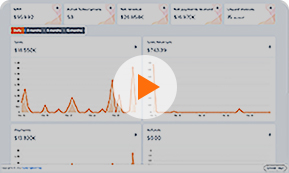
Other than advanced subscription management capability, SubscriptionFlow gives merchants smart business insights as well. They get to have a bird’s eye view of all their active and inactive subscriptions, past and upcoming transactions, revenue trends, and customer behavior intelligence.
Manage your Wix subscriptions without friction. Book a demo today to enhance your Wix store’s capabilities!

POPULAR POSTS





Think Business!
Related Posts
 How to Manage Recurring Payments on Wix Using Peach Payments
- Upgraded DocuSign Integration with Your Favorite Subscription Management Software
- Streamline Recurring Payments with Xero & SubscriptionFlow
- How to Scale WooCommerce Subscription Billing Using Peach Payments
- QuickBooks Recurring Invoices: A Comprehensive Guide