
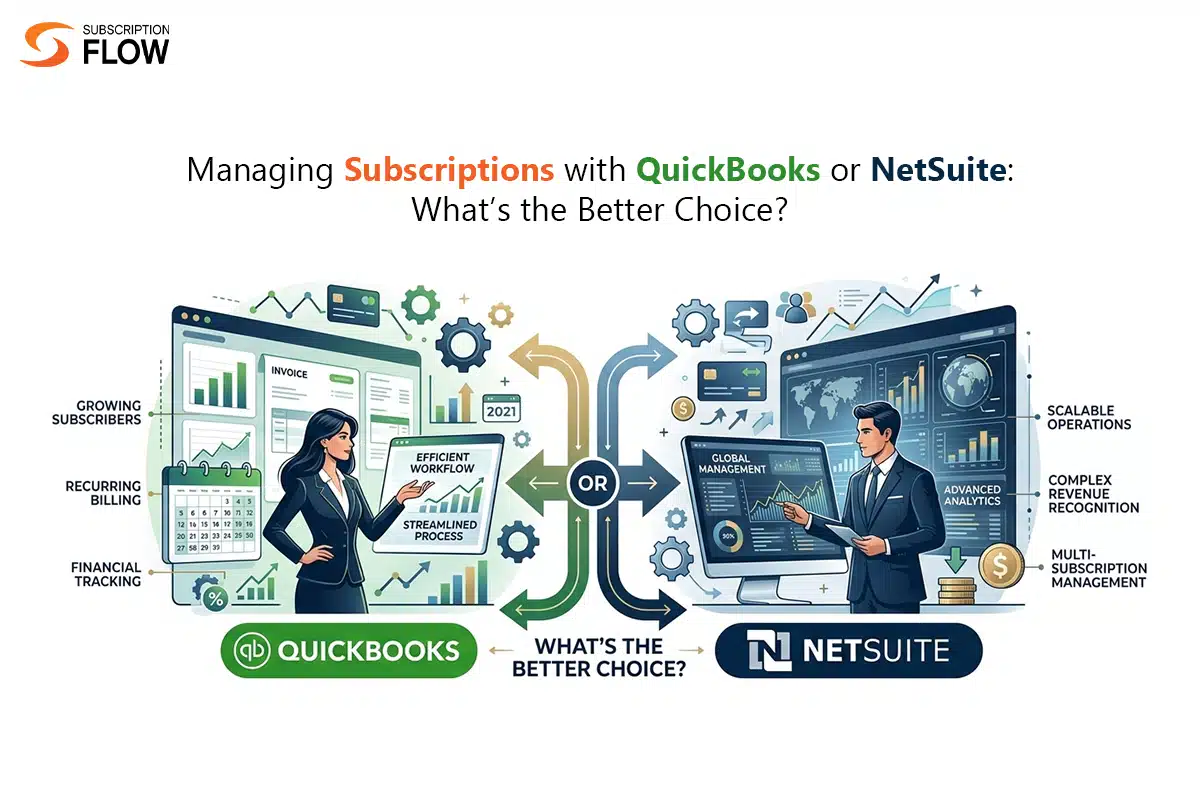
Managing Subscriptions with QuickBooks or NetSuite: What’s the Better Choice?
Subscription management becomes harder as customer volume grows. What begins as simple invoicing soon turns into a web of plan changes, bill adjustments, payment records and revenue recognition challenges.
When processes start spiraling out of hand, that’s when subscription businesses need accounting tools. Accounting software ensures that businesses keep their financial tracks clean so there are no compliance problems in the future.
QuickBooks and NetSuite are two great accounting software options for taking care of complex finances. But it’s important to learn which of these two accounting software is better for which business type, because they don’t work the same for all.
It is also important to learn the shortcomings of both these platforms when it comes to subscription management, so they aren’t forced to fit what they weren’t designed for.
Why Subscription Businesses Need More Than Accounting
The basic purpose of accounting tools is to record what happened: transactions, bill changes, earned and deferred revenue, etc. Based on this recorded information, accounting platforms generate financial reports, organize ledgers, and help stay compliant.
But the needs of subscription businesses go beyond that. They do need accounting software to keep track of their financial information, but first, they need a system that can help them generate revenue smoothly.
This system is a billing software that assists subscription businesses in various ways:
- It automates subscription lifecycle events such as renewals
- Automates bill adjustments when customer plans change
- Takes care of mid-cycle plan transitions
- Supports non-traditional billing models like usage-based billing
- Creates reports of customer activities & tracks their lifecycle events in real time
Initially, subscription businesses need a billing solution like this to automate their growing management tasks. After that they need accounting software that can track data that comes from their billing software.
QuickBooks for Subscription Management (Pros & Limitations)
QuickBooks is mostly preferred by early-stage businesses due to these factors:
- It is cheaper compared to NetSuite
- It is easier to use and more accessible
- It offers recurring invoicing capabilities that work for basic subscriptions
- It is a good choice for general bookkeeping and reporting
All these factors are helpful for subscription businesses with a limited customer volume and a basic billing model. As soon as subscriptions become more dynamic, the shortcomings of QuickBooks become obvious:

Limited recurring billing automation
When billing tasks are simple and predictable, QuickBooks is effective in handling them. But when they become more versatile, advanced and unpredictable, QuickBooks begins to lag behind. For example, if a business wants to enable custom billing cycles for customers (cycles that don’t follow popular renewal durations like monthly), it can’t do that using QuickBooks.
No usage-based pricing support available
Recurring billing can be carried out, but only the standard way. There is no mechanism that lets you set up usage metrics, measure usage and convert it to charges. So usage-based billing isn’t possible.
Manual bill adjustment needed for plan changes
QuickBooks allows automation for recurring charges, but doesn’t modify charges itself when there’s a need. For example, if there’s a client on a $50 per month plan, QuickBooks can charge them $50 on a monthly basis. But if this client switches to a $70 plan, QuickBooks doesn’t have the ability to assign this customer a new plan and a new billing cycle on its own. It has to be done manually.
Revenue recognition not possible without workarounds
QuickBooks doesn’t have a revenue recognition feature which makes it unfit for businesses with significant revenue. These businesses need to have compliant financial statements. So they can’t afford to not have a convenient revenue recognition feature that can help them categorize their revenue cleanly.
NetSuite for Subscription Management (Pros and Limitations)
NetSuite is a more powerful accounting system than QuickBooks, and is preferred by scaling businesses and enterprises. It is popular among enterprises because of these factors:
- It allows financial management and reporting on more advanced levels
- It has a native revenue recognition feature
- It offers scalable ERP solutions: you can handle more transactions and billing data as you grow
- It supports more complex financial models, not just the standard
Despite these powerful accounting features, NetSuite is still a finance-first platform, not a billing front. This means that subscription businesses can’t manage these things efficiently if they rely on NetSuite alone:
Complex subscription workflows
NetSuite can handle subscriptions. But there is a limit to how much it can support. It is important to keep in mind that NetSuite isn’t built to optimize subscriptions. Meaning, it can’t do the work of a dedicated subscription management and billing software. Businesses need technical teams to set up subscription workflows in NetSuite. The more complex these workflows are, the harder they become to set up. In short, subscription features don’t come as plug-and-play.
Real time billing changes
Just like QuickBooks, NetSuite also doesn’t respond well to billing changes, and teams have to configure such things manually inside NetSuite. There is no quick or automatic way to handle mid-cycle plan changes, prorate charges, and switch plans.
Custom workflows or add-ons
To truly turn NetSuite into a subscription management tool, businesses need to have a lot of development work done. They often need integrations, custom scripts or external billing tools connected with the platform. This makes it more difficult and costly to set things up, and subscription businesses naturally take longer to adjust.
Ability to accommodate fast-changing pricing models
SaaS businesses, particularly the newer ones, are constantly experimenting with their pricing. They offer free and paid trials, discounts, flat and hybrid pricing models, etc., and switch between different pricing models to find out what suits them the best. This is too dynamic for NetSuite to manage because even small changes involve multiple configurations.
Key Differences: QuickBooks vs NetSuite
Subscription businesses seeking accounting solutions can use QuickBooks if they prefer simplicity, and NetSuite if they require more powerful financial management features. Here’s a quick comparison of both platforms to help you make a smarter choice between them:
Ease of use
QuickBooks is easier to use and this is also a reason why it’s more suited to startups. They can set up QuickBooks on their own, and don’t need much external help. NetSuite, on the other hand, is way more complicated and requires dedicated learning and heavy technical support.
Subscription handling
QuickBooks helps with simple and straightforward subscription workflows only. It starts to crack when advanced workflows enter the picture. On the other hand, NetSuite does handle subscriptions better, but the subscription management it offers is quite rigid. Even the small changes need many manual reconfigurations. So the overall subscription management experience is not smooth at all.
Automation
QuickBooks supports automation but only limited, for example, simple recurring billing. NetSuite’s automation is better in comparison but still moderate as it needs many manual setups to work efficiently.
Revenue recognition
Teams using QuickBooks can’t access revenue recognition at all. They have to take care of that manually. But teams using NetSuite get built-in revenue recognition that categorizes their cash flow into deferred and earned revenue correctly.
Scalability support
When subscription businesses grow beyond a certain point, QuickBooks features begin falling short. However, that isn’t the case with NetSuite as it has been designed for high-volume businesses in mind. So it supports scalability fully and can process large data amounts smoothly.
What QuickBooks and NetSuite are Best for: When to Choose What
QuickBooks is built for small businesses that don’t have need for overly complicated accounting features. With QuickBooks, they can keep their financial processes simpler and more aligned with their basic needs.
Businesses should choose QuickBooks if they relate to the following:
- They are early-stage startups
- Their pricing strategy is simple, and they charge flat rates
- They only need simple invoicing and basic bookkeeping
- They are still in the process of validating their business model
NetSuite, meanwhile, is best for large enterprises who can’t rely on only the basic features and need more advanced reporting tools. NetSuite handles large volumes of financial data for them more easily.
NetSuite serves those businesses better than can relate to the following scenarios:
- They are scaling across the globe, and they are scaling rapidly
- They need strong financial controls and have stricter compliance requirements
- They need automatic revenue recognition
- They can invest in implementation
How You Can Truly Access Subscription Management
By now, it’s clear that QuickBooks and NetSuite are both accounting tools, and can’t stretch much beyond their core financial management capabilities. They can’t be used to manage subscription lifecycles dynamically, as that’s not what they are built for.
To access subscription management fully, it is recommended that you integrate with a dedicated subscription management tool such as SubscriptionFlow. The biggest advantage of using SubscriptionFlow is that it allows easy integrations with QuickBooks and NetSuite. So, whether you are using QuickBooks or NetSuite for your accounting, you can easily integrate and use SubscriptionFlow as your subscription billing system atop any of these accounting platforms.
If you want to access unified subscription billing and accounting, book a demo with SubscriptionFlow today and know more about our solution and how it can benefit your business.

POPULAR POSTS




Think Business!
Related Posts
 Streamline Recurring Payments with Xero & SubscriptionFlow
- Assessing WooCommerce and Its Integrations with NMI and SubscriptionFlow
- Flutterwave Shopify Integration: Powering Seamless Payments for Scalable e-Commerce
- Benefits of Xero SaaS integration: A Guide
- NMI WebFlow Integration for Seamless ecommerce Payments