
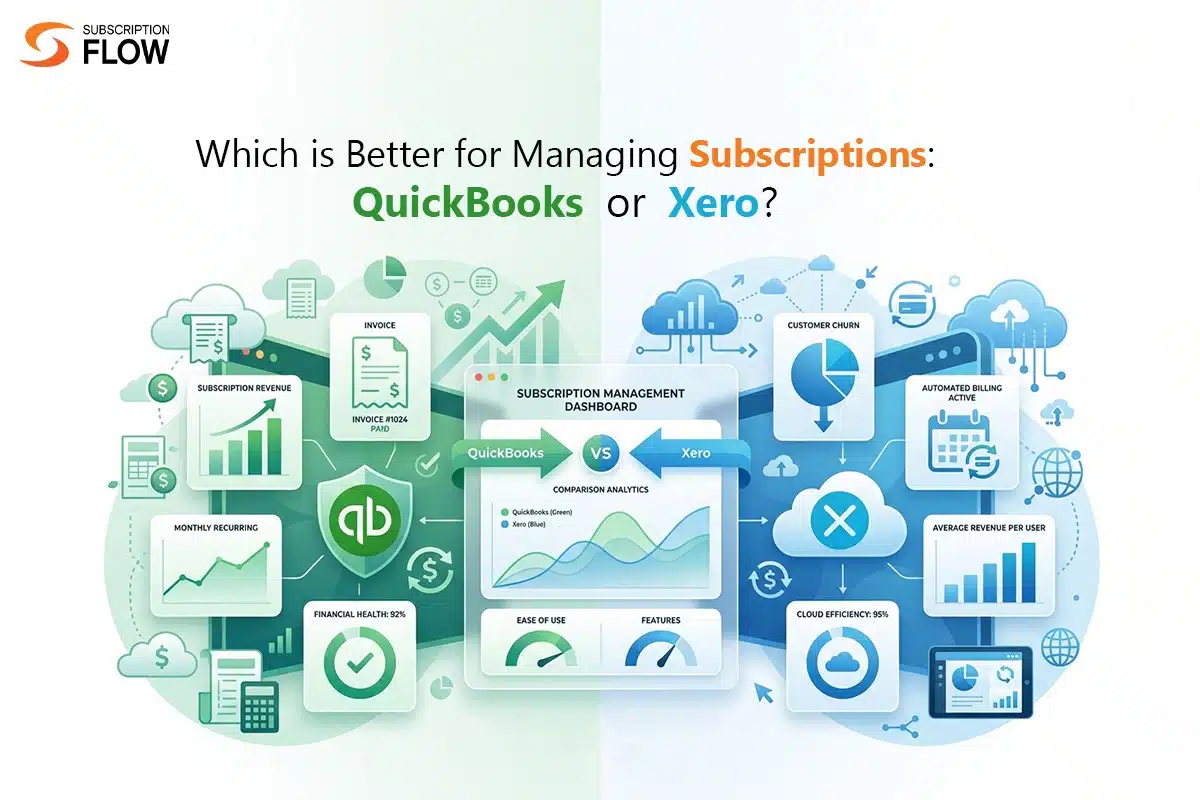
Which is Better for Managing Subscriptions: QuickBooks or Xero?
The growth of subscription-based models has fundamentally changed how we view “a sale.” In a traditional approach, you sell a widget, take money, and the transaction is over. However, a subscription model builds a long-term relationship with customers involving frequent invoices, trial periods, upgrades, and churn.
In a subscription lifecycle, efficient accounting is no longer just about balancing books; it’s about managing lifecycle visibility. QuickBooks and Xero are the industry leaders in this domain that are often compared by the businesses as they both offer cloud-native automation. Despite similarities, they approach the “subscription problem” with different philosophies.
Understanding how each platform manages subscription-related financial tasks can help businesses choose the right accounting foundation for sustainable growth.
Why Subscription Businesses Need Specialised Accounting Software
The subscription businesses are far different from the traditional one-time sales models. They do not enable single transactions only, but maintain a continuous financial relationship with their customers who are subjected to recurring billing, service provision, renewals, and in some cases upgrades or downgrades.
Managing Recurring Invoices and Billing Cycles
Recurring invoices and billing cycles are among the most necessary requirements to be managed. Customer billing can be monthly, quarterly, annual, or even usage-based. The accounting systems should produce invoices automatically and track payments accurately.
Handling Revenue Recognition and Deferred Revenue
Revenue recognition is another problem. Businesses that deal with subscriptions are frequently required to receive payments in advance of the service provided in the future. The accounting norms and standards require revenue to be recognised gradually instead at once. This brings in the aspect of deferred revenue that should be well taken care of to ensure accurate financial statements.
Monitoring Payments, Refunds, and Subscription Revenue
Subscription-based businesses have to monitor numerous financial operations such as refunds, cancellations, proration modifications, and subscription changes. These activities directly affect the financial reporting and revenue forecasts.
In addition to accounting, companies track subscription-specific metrics including recurring revenue, customer lifetime value, churn rate, and growth trends. The accounting systems are also significant in offering reliable financial data to support these insights.
The lack of proper accounting software in subscription-based businesses causes inefficiencies and errors while managing such complexities.
Recurring Billing and Subscription Handling
Automation of recurring invoices is one of the capabilities in subscription businesses that holds great importance. QuickBooks as well as Xero have recurring invoice functionality which permits organisations to schedule invoices at specific intervals.

This minimises manual work and gives customers a consistent invoice as per their subscription plan. Companies are also able to set up invoice timing, automate reminders and monitor payment status.
However, these native capabilities can only handle simple recurring billing instead of supporting complete subscription lifecycle management. They do not have advanced features that can support:
- Usage-based billing
- Proration calculations
- Subscriptions pauses or discontinuations
- Multi-tier pricing models
Integration with Subscription Management Platforms
The optimal accounting setup for a subscription business is rarely just the software alone. It is a stack. The front-end brain is a subscription management software such as SubscriptionFlow. The subscription management software manages the advanced billing logic and then syncs the finalised accounting data to QuickBooks or Xero.
- QuickBooks has a slight edge in the U.S. market for “plug-and-play” integrations with domestic banks and tax tools.
- Xero has more than 1000+ integrations on its App Store. Due to this, it is perceived as a more approachable option to tech startups developing their own billing stacks.
Both QuickBooks and Xero have wide integrations across the third-party tools. However, the strength of their ecosystem depends mainly on the region in which business operates, payment gateways, and subscription platforms being used.
In the case of subscription businesses, selecting an accounting platform with easy integration with their billing infrastructure can be more beneficial than using native billing capabilities.
Reporting and Financial Insights for Subscription Businesses
Another important aspect that subscription businesses need for reliable accounting support is financial reporting. For a subscription business, the balance sheet is only half the story.
- QuickBooks is known as the “grandfather of reporting.” Its high-end plans provide strong class and location tracking which enables you to cut your revenues by product line or region with extreme accuracy. The AI-powered system of QuickBooks can flag anomalies in your recurring revenue patterns.
- Xero offers more visual and cleaner dashboards. Although its native reporting is not as comprehensive as QuickBooks for complex audit trade, it offers excellent real-time cash flow. In many startups, the “Analytics Plus” add-on gives them the forecasting tools they require without the hassle of an ERP.
Pricing and Scalability Considerations
Another important consideration while selecting an accounting software for a subscription business is pricing and scalability.
- QuickBooks offers a number of pricing packages that suit the needs of small businesses and expanding companies. Its plans are usually scaled according to a set of specific features including advanced reporting, automation, and user access.
- Xero provides a tiered pricing model, with packages that expand as companies expand. Xero is also strong in having limitless access for users in most plans, which may be helpful in cases when a team needs to collaborate with other departments.
Scalability is also important when dealing with subscription businesses where high recurrent transactions take place. Due to increasing customer bases, the accounting systems should be able to perform the tasks of generating invoices, tracking payments, and providing financial reports without performance issues.
Both QuickBooks and Xero have potential when it comes to scalability. Expanding businesses should consider how best the two integrate with their broader subscription infrastructure.
Ease of Use and Operational Efficiency
Another factor that strongly influences the decision between QuickBooks and Xero is ease of use.
- QuickBooks seems to be professional accounting software. It is robust, loaded with features, and it is much more popular among conventional accountants. It has a stiffer learning curve, but it can do nearly anything if you understand the system well.
- Xero, on the other hand, is a modern SaaS application. The interface is airy, the language is not technical, and it is designed for business owners who can spend no more than 15 minutes per day on bookkeeping.
Both platforms have automation features that facilitate the workflow. Automation of tasks include invoice generation, bank reconciliation, and expense tracking can be implemented to minimise manual operations.
The learning curve, however, might not be the same and can depend on the team’s previous experience with accounting software. When choosing a platform, businesses should take into account their needs for training, onboarding, and customer support.
The ultimate measure of operational efficiency is the ability of the accounting system to work with other tools that are employed by the business.
QuickBooks vs Xero: Key Differences for Subscription Businesses
User Access
QuickBooks has a restricted usage based on the plan you chose (e.g., up to 25 in advance). Xero, on the other hand, offers unlimited users across all plans.
Regional Suitability
QuickBooks is tailored for businesses that are established in U.S./ Canada GAAP compliance, while Xero is suitable for international/ non-U.S., focusing on IFRS standards.
Features and Usability
QuickBooks is industry-specific and offers more complex reporting, while Xero has a modern, intuitive interface with stronger bank reconciliation.
Integrations
Xero has an upper hand when it comes to integrations. It has a larger app ecosystem with 1000+ integrations.
Which to Choose?
Some of the factors that organisations should take into consideration when comparing the two platforms are compatibility of integration, reporting requirements, price, and expertise of available finance teams.
- Choose QuickBooks if: You are a medium-sized business requiring complex inventory needs, advanced reporting, U.S.-based or need robust payroll.
- Choose Xero if: You are a small business, a startup, or a growing team that needs many users or has international operations.
When to use QuickBooks or Xero with a Subscription Platform
In most cases, accounting tools are not able to handle the entire subscription lifecycle of subscription businesses. Use QuickBooks and Xero with a subscription platform when your business needs both accurate accounting and automated recurring billing. Specialised subscription management software like SubscriptionFlow supports complex billing scenarios like tiered pricing, usage-based billing, automatic renewals, and customer plan changes. It also offers subscription-specific analytics and reporting. Integrating SubscriptionFlow makes certain that subscription data flows directly into the accounting system without manual entry.
This setup is ideal for SaaS, membership, and subscription-based businesses that want real-time financial visibility, automatic synchronisation of invoices, payments, and records of revenue without manual intervention.
Build a Smarter Subscription Financial Stack
For subscription-based business models, both QuickBooks and Xero are strong accounting solutions to manage financial records. However, they are not designed to manage the full complexity of subscription billing. If you want to run your subscription business efficiently, integrate your chosen accounting software with a dedicated platform like SubscriptionFlow. It is capable of managing your entire subscription lifecycle accurately. This combination provides the flexibility and scalability needed to support growing subscription models.

POPULAR POSTS


Think Business!
Related Posts
 How Product Adoption Metrics Give Your SaaS Business Transformative Powers
- SaaS Inbound Marketing Strategies to Achieve Subscription Success Seamlessly and Strategically
- Power Your Shopify Subscriptions with Ifthenpay Using SubscriptionFlow
- DocuSign vs HelloSign - Which Platform Reigns Supreme?
- Scaling Subscriptions on Shopify? Here’s Where MyFatoorah Falls Short